


The landscape of AI image generation changes rapidly, but few releases have caused a shift as seismic as Flux. Developed by Black Forest Labs a team comprising the original creators of Stable Diffusion Flux has quickly established itself as the new benchmark for open-source realism.
For a long time, artists had to choose between the ease of Midjourney (which is closed and paid) or the control of Stable Diffusion (which often struggled with anatomy and text). Flux bridges this gap. It offers state-of-the-art prompt adherence, the ability to render legible text within images, and a level of photorealism that requires little to no “prompt magic” to achieve. In this guide, we will break down exactly what Flux is, which version you should use, and how to master its workflow for stunning results.
Understanding The Flux Ecosystem
Unlike some tools that offer a single “magic button,” Flux comes in different variations tailored to different needs and hardware capabilities. Choosing the right one is the first step to success.
Flux.1 [Pro]
This is the heavyweight champion. It provides the absolute best detail, prompt following, and visual fidelity.
- Access: Via API only (cloud-based).
- Best For: Enterprise usage and developers building apps who need top-tier quality without hosting models themselves.
Flux.1 [Dev]
This is an open-weight model distilled from the Pro version. It is incredibly powerful and efficient.
- License: Non-commercial only.
- Best For: Artists, hobbyists, and researchers experimenting locally. It is the most popular version for the community because it supports “LoRAs” (style plugins).
Flux.1 [Schnell]
German for “fast,” this is the distilled, speed-optimized version. It is up to ten times faster than Dev.
- License: Apache 2.0 (Open for commercial use).
- Best For: Local generation on weaker computers or for rapid prototyping where speed matters more than perfect texture details.

How To Run Flux: Cloud vs. Local
Because Flux is a massive model (12 billion parameters, compared to SDXL’s 2.6 billion), running it requires significant computing power. Here are your options.
Option 1: The Easy Cloud Route
If you do not have a powerful gaming PC, using a cloud provider is the best path. Platforms like Poe, Fal.ai, and Replicate host Flux models that you can use instantly. This allows you to generate images on a laptop or even a phone without worrying about VRAM limits.
Option 2: Local Installation (For Power Users)
To run Flux.1 [Dev] locally, you ideally need an NVIDIA GPU with at least 12GB of VRAM (preferably 16GB or 24GB).
- WebUI Forge: This is currently the most user-friendly interface for Flux. It handles memory management better than the standard Automatic1111.
- ComfyUI: The professional standard. ComfyUI allows for complex node-based workflows. It is the most efficient way to run Flux, often working on 8GB VRAM cards by cleverly offloading data to system RAM (though this is slower).
Prompting Strategy: Forget Old Habits
If you are coming from Stable Diffusion 1.5 or SDXL, you need to unlearn your bad habits. Flux uses a T5 text encoder, which means it understands natural language exceptionally well.
No More Tag Soup
In older models, prompts looked like this: “masterpiece, best quality, 4k, trending on artstation, woman, photo.” In Flux, this is unnecessary and can actually confuse the model.
Use Conversational Sentences
Flux prefers descriptive, natural sentences. Treat it like you are describing a photo to a friend.
- Example: “A low-angle smartphone photo of a young woman sitting in a Parisian cafe, holding a coffee cup that says ‘Bonjour’ in red letters. Natural lighting, slightly grainy texture.”
The Text Rendering Revolution
The biggest selling point of Flux is its ability to spell. You can finally create posters, logos, and book covers directly in the AI. To ensure text works:
- Place the text inside quotation marks in your prompt.
- Keep the text relatively short for the best accuracy.
- Mention the font style (e.g., “written in handwritten chalk style” or “bold neon typography”).
Flux vs. Midjourney: A Reality Check
Is it time to cancel your subscription? Let us look at the pros and cons.
Where Flux Wins:
- Text Accuracy: Flux rarely misspells words, whereas other models still struggle.
- Complex Instruction Following: If you ask for “a red cat on the left and a blue dog on the right,” Flux actually separates them correctly.
- Control: Since it runs locally, you can use ControlNet (to copy poses) and LoRA (to copy styles).
Where Midjourney Wins:
- Aesthetics: Midjourney v6 has a built-in “artistic taste.” It makes things look pretty automatically. Flux is more literal; if you ask for a photo, you get a raw photo, which might look “boring” if you don’t describe the lighting well.
- Ease of Use: Discord is still easier than setting up Python environments.
Advanced Techniques: Using LoRAs With Flux
The community around Flux has exploded. Within weeks of its release, thousands of “LoRAs” (Low-Rank Adaptation models) appeared. These are small files you can download to modify the base model.
Realism LoRAs
While Flux is already realistic, specific LoRAs can add “amateur photo” vibes, adding motion blur, film grain, and imperfect flash lighting to make the image indistinguishable from a real camera shot.
Style LoRAs
You can download adapters that turn Flux into a vector illustration engine, a 3D clay renderer, or a classic anime generator.
How To Use Them
In WebUI Forge or ComfyUI, you simply load the LoRA file and set the “strength” (usually between 0.6 and 1.0). This allows you to keep the incredible prompt understanding of Flux but change the visual flavor completely.
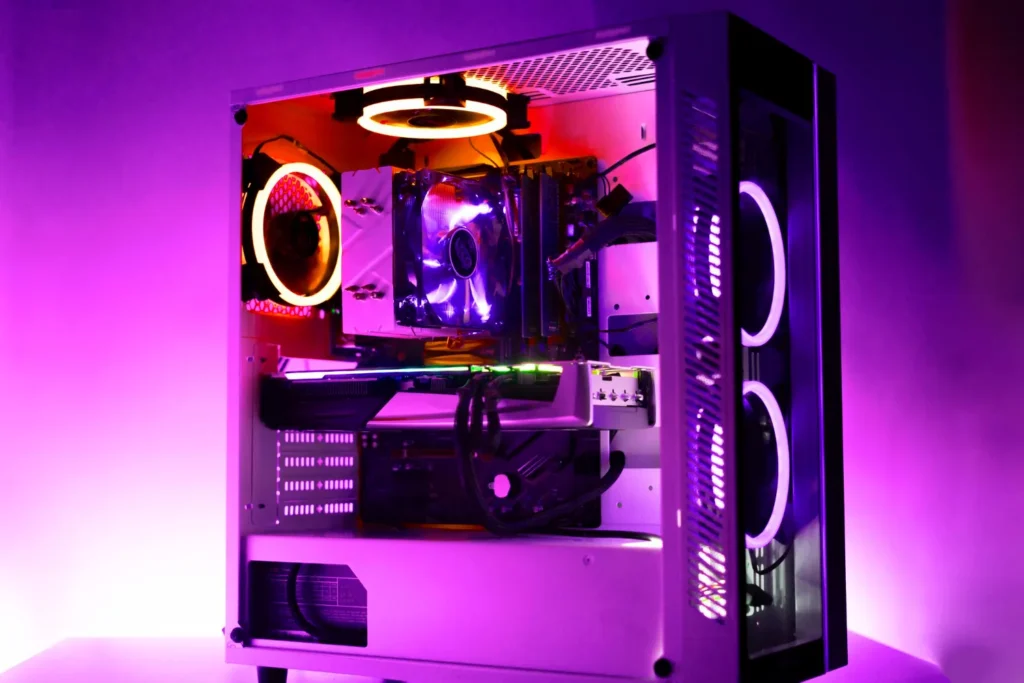
Hardware Recommendations For The Best Experience
If you are building a PC specifically for Flux and future AI art generation, here is what you need to look for:
- VRAM is King: The speed of the chip matters less than the amount of video memory. An RTX 3060 (12GB) is often better for AI than an RTX 3070 (8GB) because the larger model fits in the memory.
- System RAM: You should have at least 32GB of system RAM to handle the loading process.
- Storage: An NVMe SSD is essential. Loading the 20GB+ model files from a spinning hard drive is painfully slow.
Conclusion
Flux represents a maturity point in open-source AI. It is no longer just a “hacky” alternative to paid corporate tools; it is a superior engine for those who need precision. Whether you are a graphic designer needing specific text on a billboard or a concept artist needing exact composition control, mastering Flux is the most valuable skill you can add to your toolkit today. Start with the Schnell version to get a feel for the prompting, and then graduate to the Dev version to unlock the full potential of community-created extensions.